Invite someone to your trip
Plan the trip with the people coming on it. You add each one by name, and nobody else can get in.
Open Together
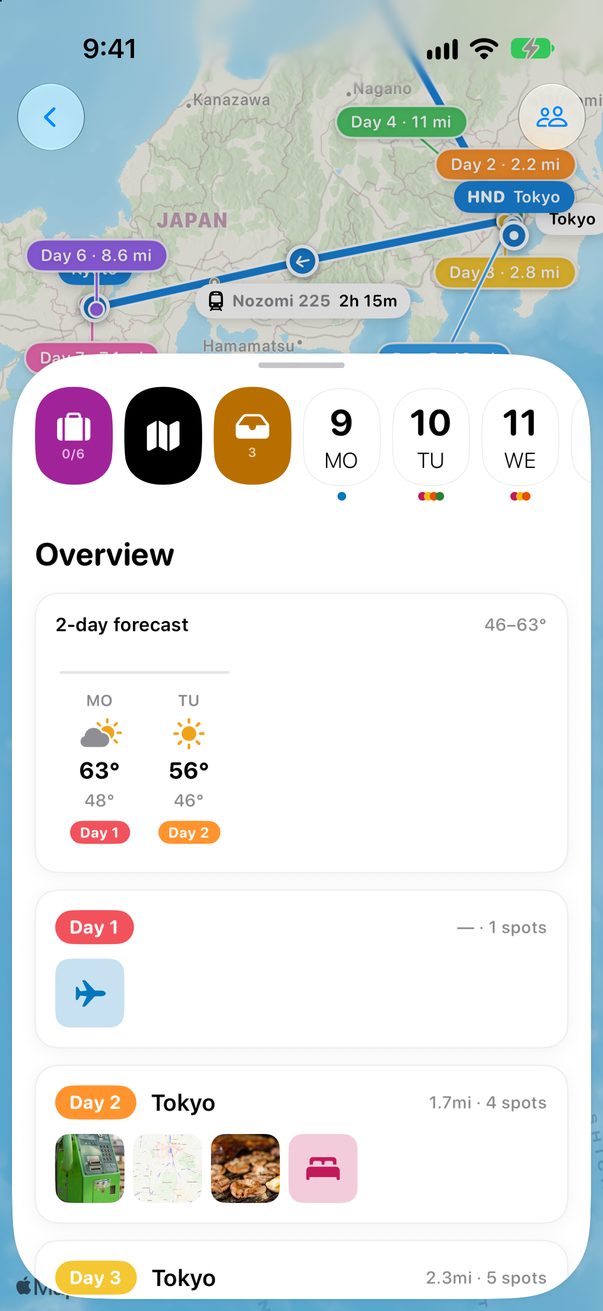
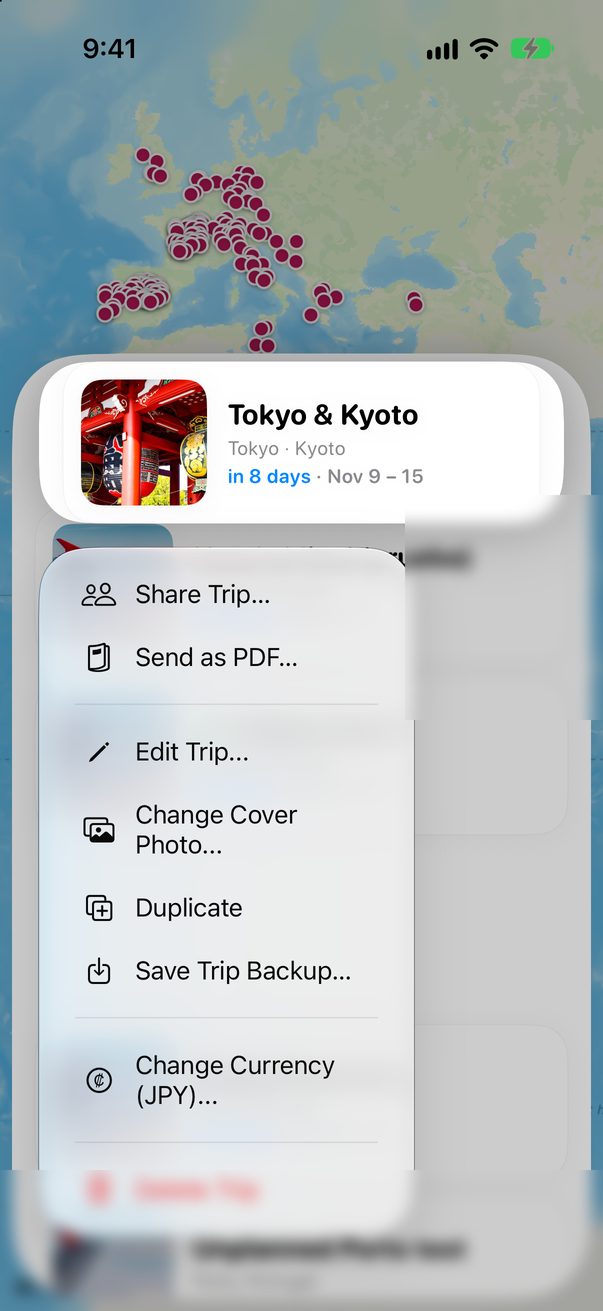
Open the trip’s Overview and tap the people button at the top. Or touch and hold the trip in your list and choose Share Trip….
 1
1
 2
2
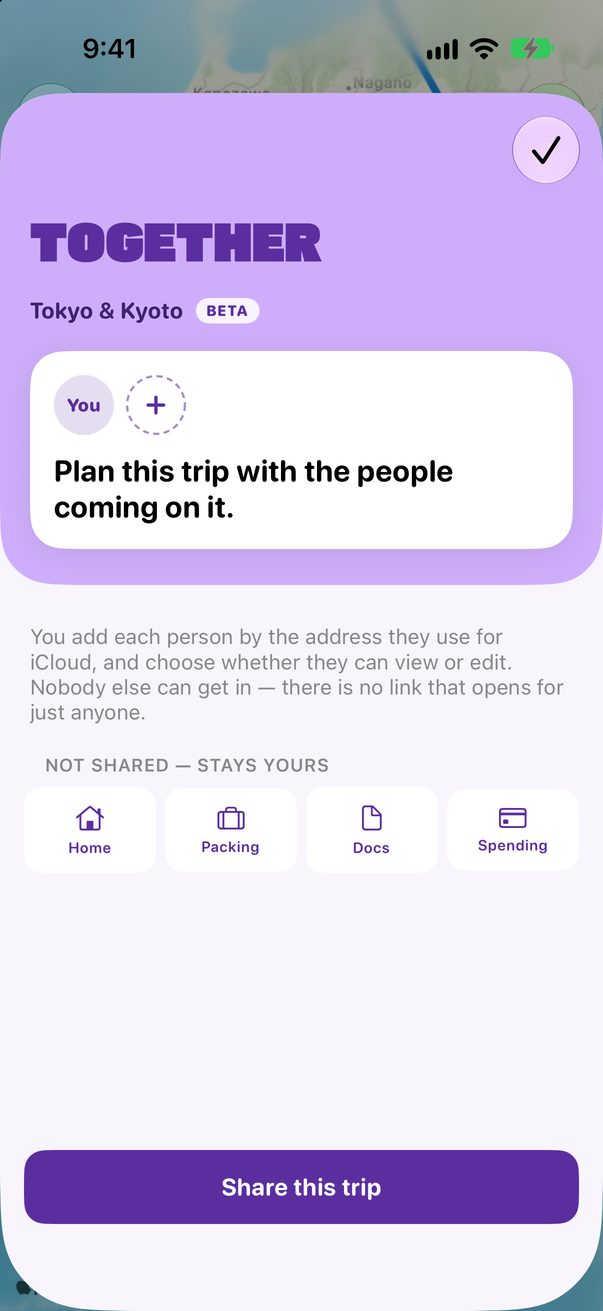
Tap Share this trip
Until you do, nobody else can open the trip. The bottom of the sheet says what’s never shared.
 1
1
Add each person
Add each person by the email or phone number they use for iCloud, and choose Can view or Can edit. Send them the link: it opens for them and nobody else.
Plan together
Once they open it, the trip is in their Trovelo too. Cards anyone adds, moves or deletes show up for everyone.
Good to know
There is no public link. Each link opens only for the people you added.
Only the person who shared the trip can add or remove people.
Trovelo for Mac shares trips and opens invitations too.



Was this helpful?
Great, thanks! Happy travels.
Sorry about that. Tell me what was missing on r/trovelo and I’ll fix this page.
Keep going