Add places you’ve been
Spots is your own map of where you’ve been. Add a city, and its country counts too.
1
Open Spots
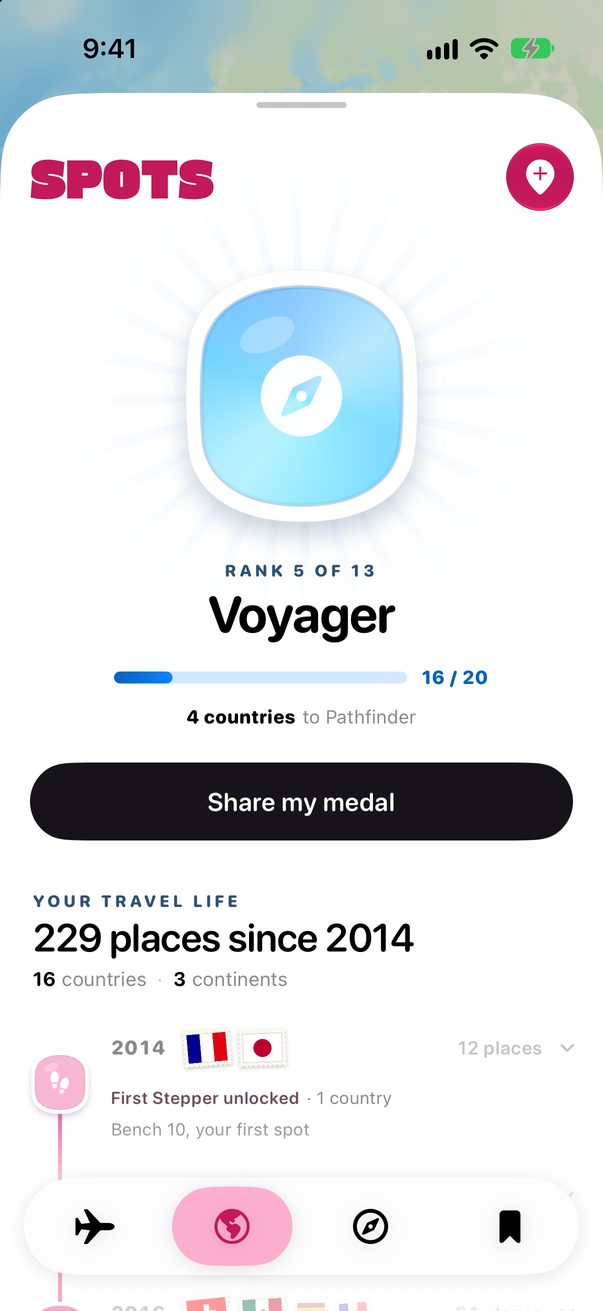
Tap the globe in the bar at the bottom. Under the map you see how many places, countries and continents you’ve been to.
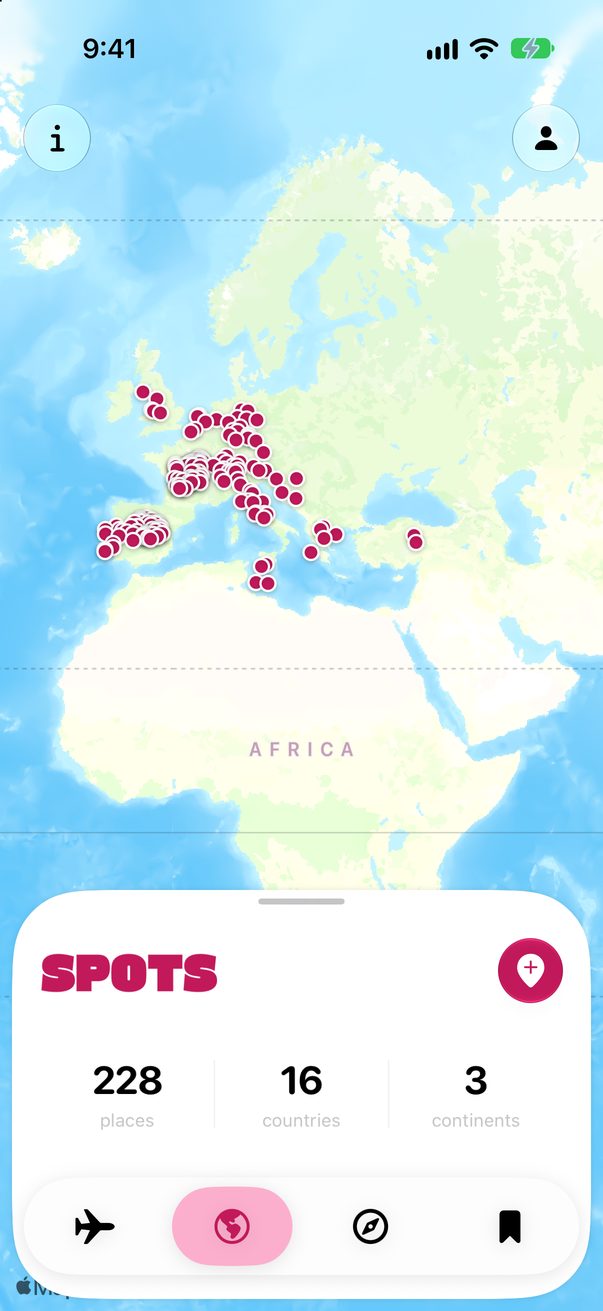
 1
2
3
1
2
3
1Spots2Add3Your totals
2
Search and add
Tap the pink +, search for a city and tap + next to it. It turns into a green tick.
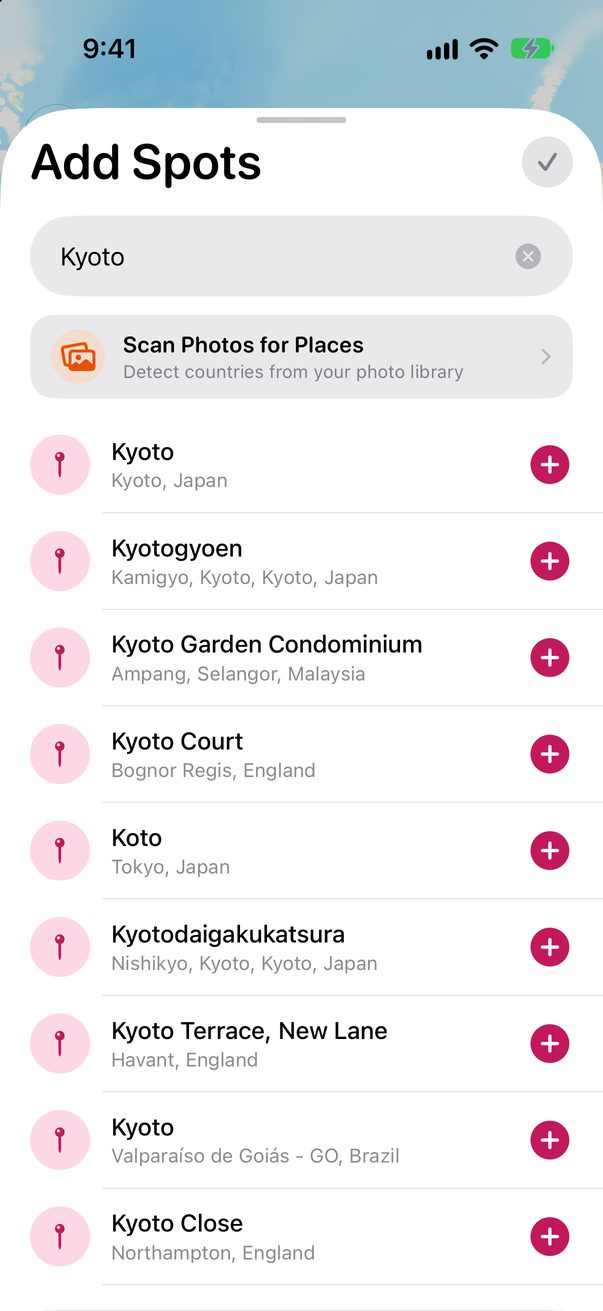 1
2
1
2
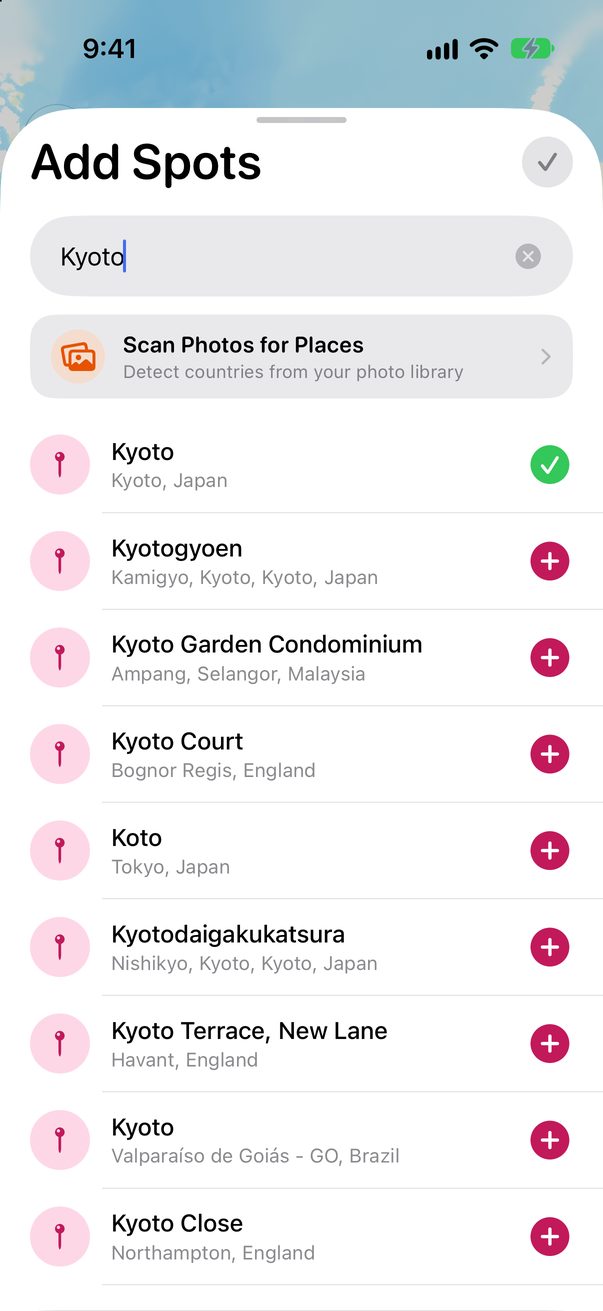 3
3
1Search2Add3Added
3
Or let your photos do it
Scan Photos for Places, above the results, finds them in your photo library. See Find past trips in your photos.
4
Remove one
Tap a pin on the map to remove it. Removed the wrong one? Tap Undo.
Good to know
A country counts as soon as you add a city in it.
Your Spots sync to your other devices through iCloud. On the Mac, they’re under My Spots in the sidebar.



Was this helpful?
Great, thanks! Happy travels.
Sorry about that. Tell me what was missing on r/trovelo and I’ll fix this page.
Keep going
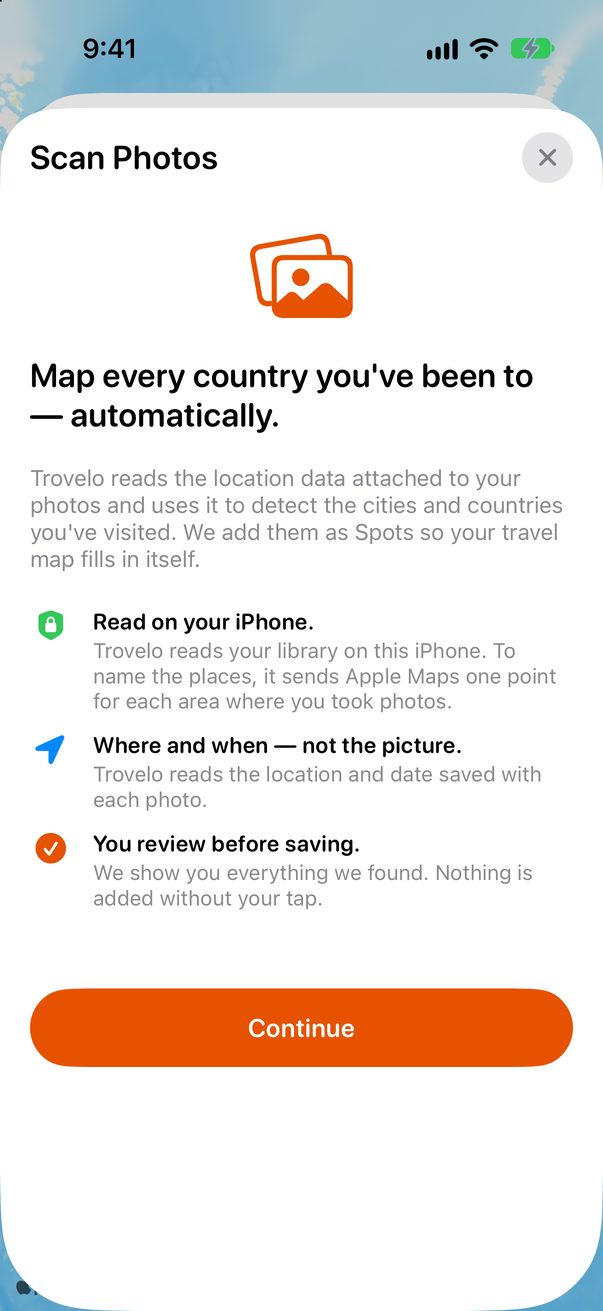
Find past trips in your photosMy Spots & medals
Medals, from First Stepper upMy Spots & medals
Drop a pin on the mapMap & routes