Your trip in Calendar
Turn it on once, and every day of your trips appears in Calendar, next to the rest of your plans.
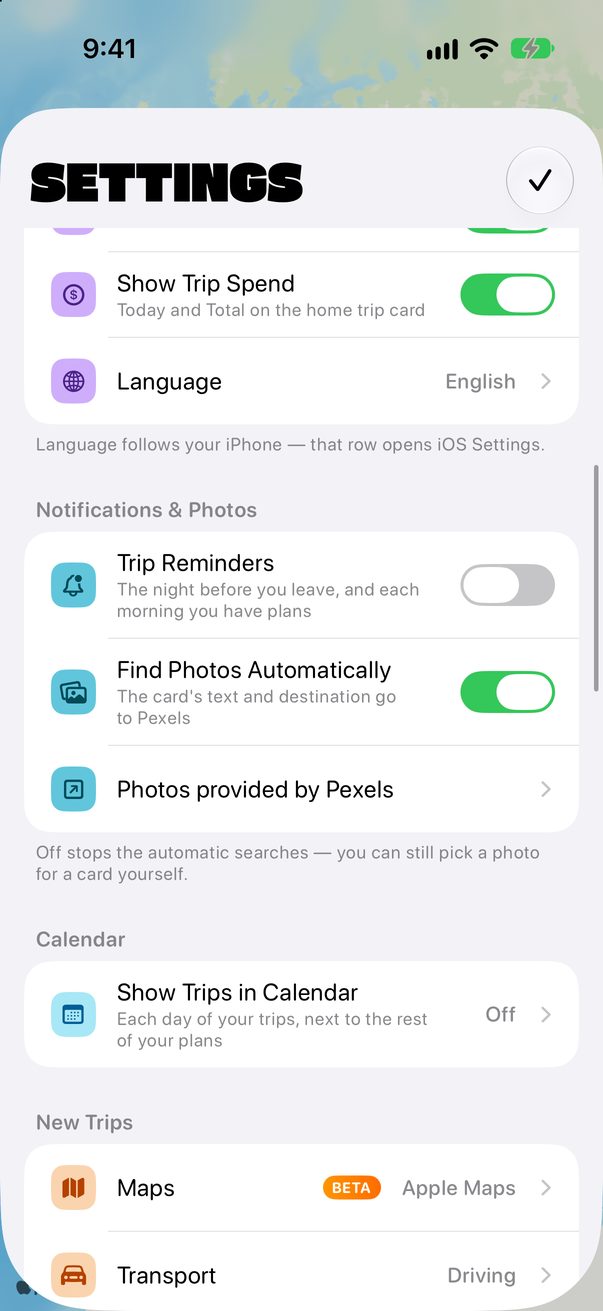
Open Settings
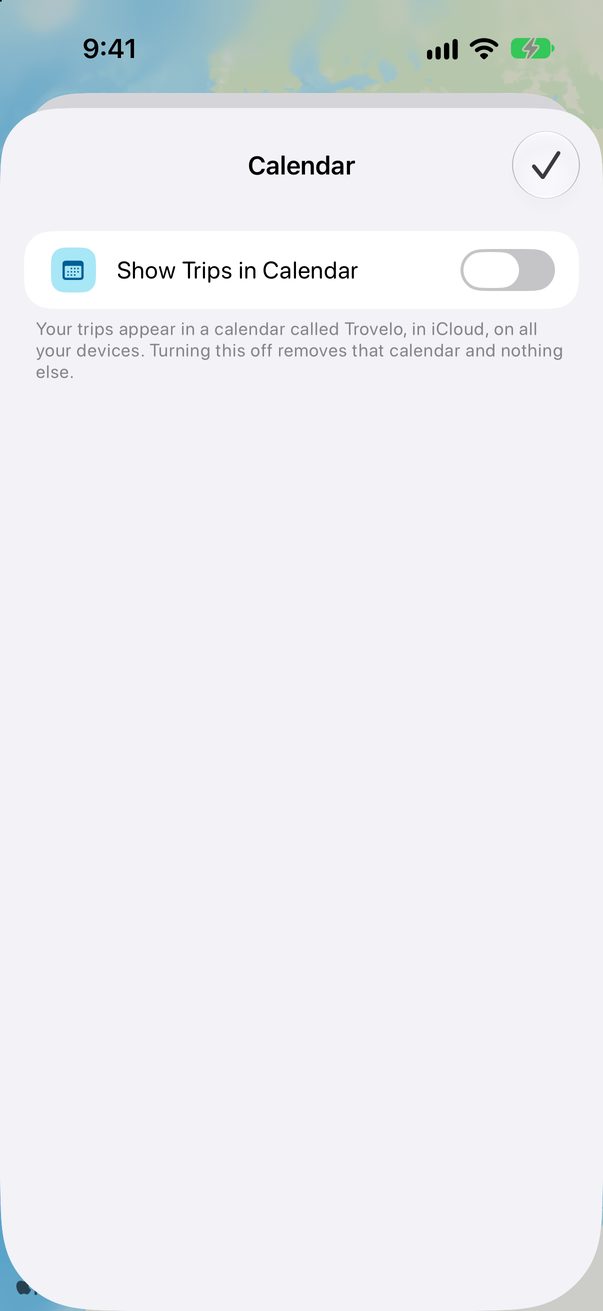
Tap the round profile button at the top right. Under Calendar, tap Show Trips in Calendar.
 1
1
Turn it on
Turn on the switch and let Trovelo use your calendars. Your trips go into a calendar called Trovelo, in iCloud, so it shows on all your devices.
 1
1
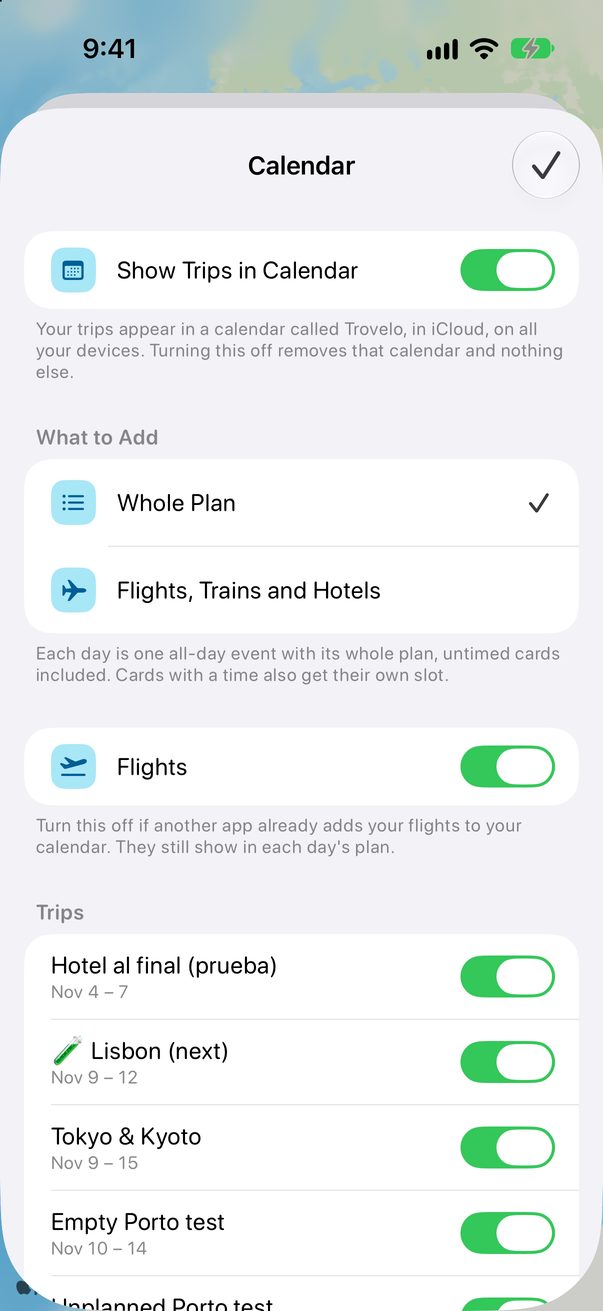
Choose what to add
Whole Plan makes each day one all-day event with its plan inside, and gives cards with a time their own slot. Flights, Trains and Hotels adds only those. Already have your flights in another app? Turn off Flights so they don’t show twice.
 1
2
1
2
Pick the trips
Further down, each trip has its own switch. Turn off any trip you’d rather keep out of your calendar.
Calendar on the Mac
Open Trovelo › Settings…, choose Trips and find Calendar. The choices are the same ones you made on your iPhone.
Good to know
Each event links back to Trovelo: open the link in it to jump to that day.
Turning it off removes the Trovelo calendar, and nothing else.
Door codes never go into your calendar.



Was this helpful?
Great, thanks! Happy travels.
Sorry about that. Tell me what was missing on r/trovelo and I’ll fix this page.
Keep going