Import a booking from an email
Take a screenshot of the booking email, or save its PDF. Trovelo reads it and makes the cards.
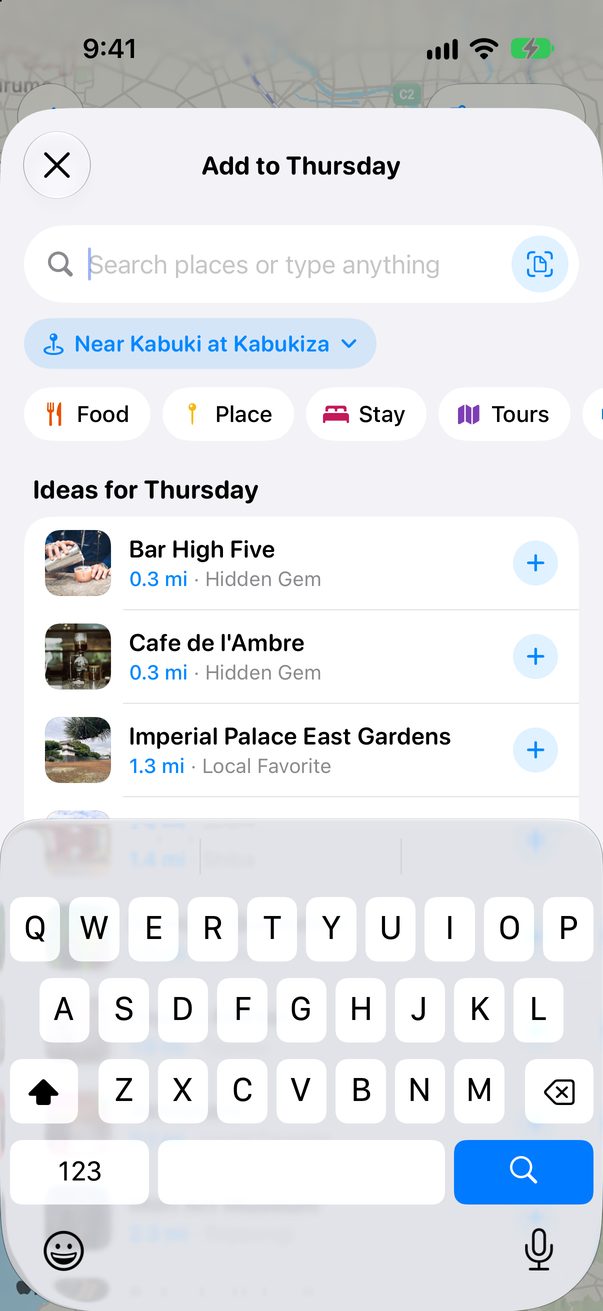
Tap the scan button in Add
Tap + Add on any day, then the scan button at the end of the search.
 1
1
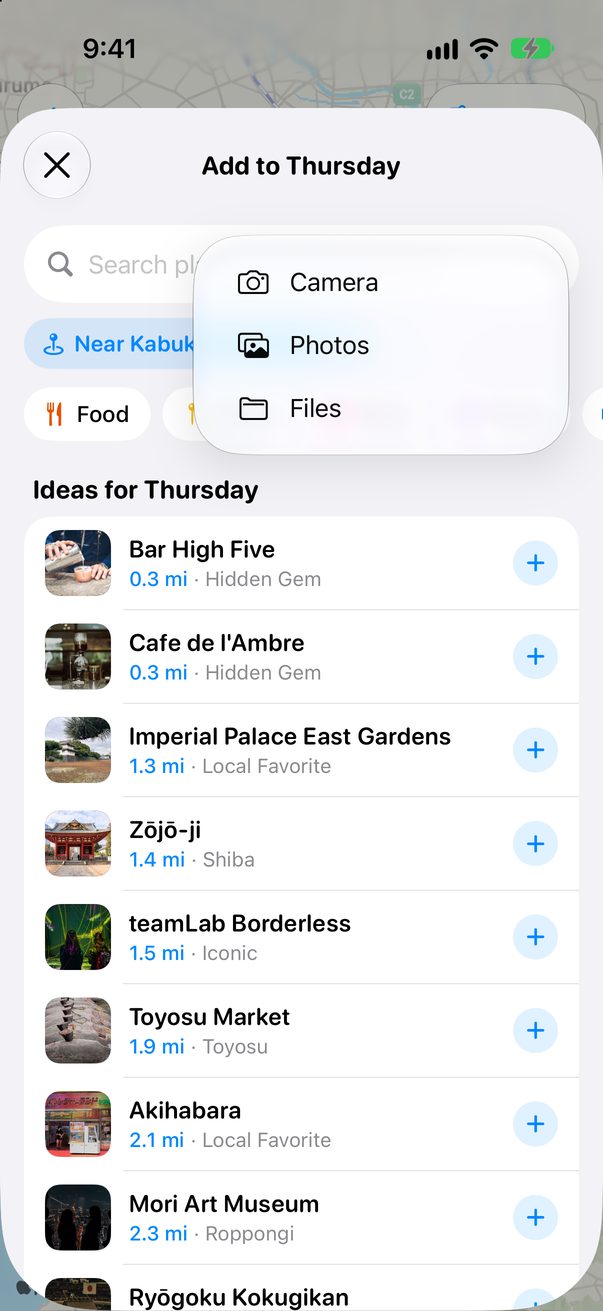
Pick the booking
Take a photo of a printed booking, or pick a screenshot from Photos or a PDF from Files.
 1
1
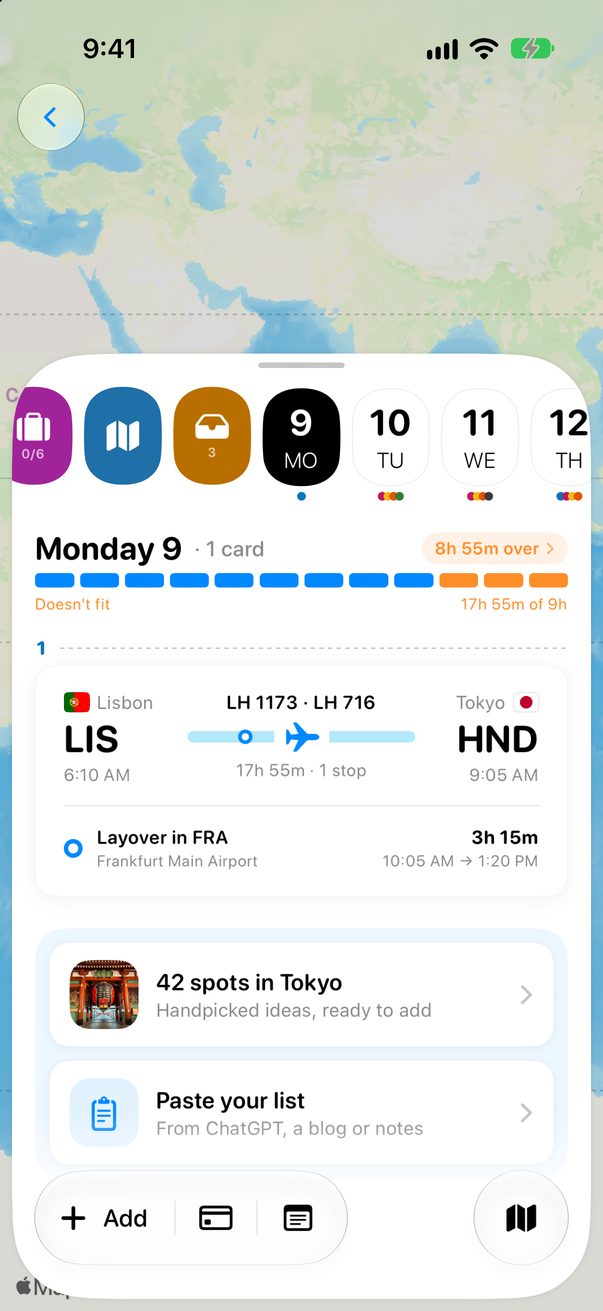
Check the cards
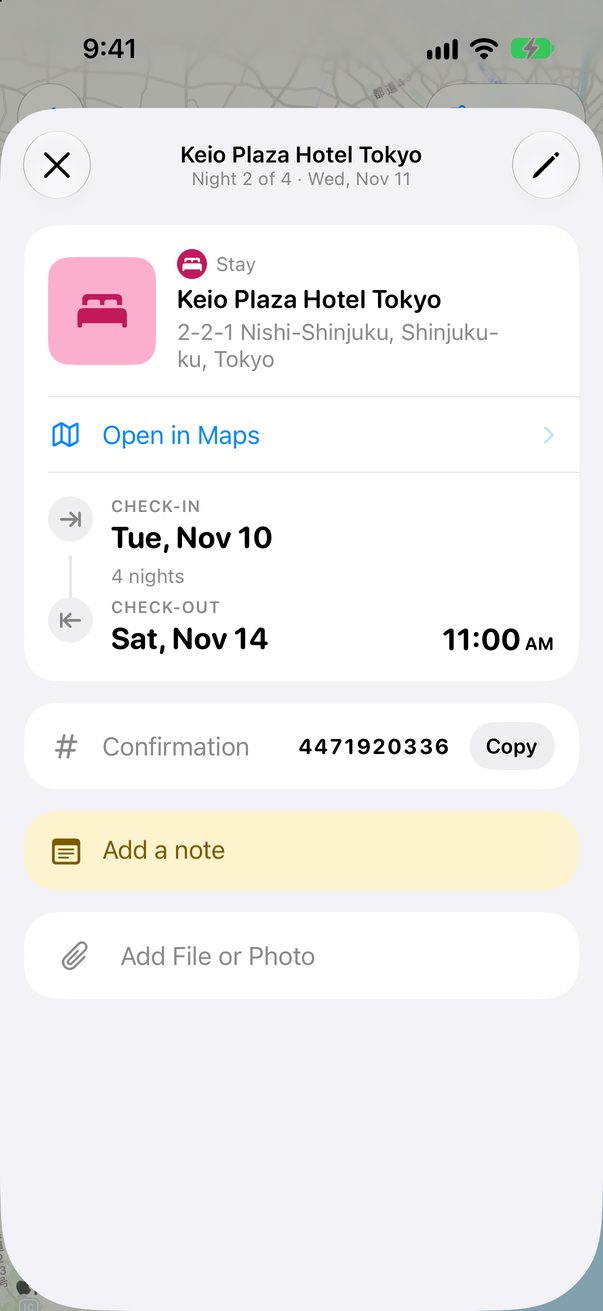
Flights land on the day they leave, with every leg. Hotels fill every night of the stay, and a rental car gets its pick-up and its return. The confirmation number comes along.
 1
1
Drop it on the Mac
Open Add with ⌘N and drop the PDF or the screenshot on it. You can also drop a flight ticket on New Trip to build a whole trip from it.
Good to know
Flight changed? Import the new booking: the flight already on your Board is updated, not added twice.
Train, bus and ferry bookings aren’t read yet. Add those by hand, in a few taps.



Was this helpful?
Great, thanks! Happy travels.
Sorry about that. Tell me what was missing on r/trovelo and I’ll fix this page.
Keep going